
The ad account shows many conversions. Why does sales call the leads unusable?
Because the account bids on every form submit, and the leads sales has marked as usable were never uploaded as the primary conversion.
Because the account bids on every form submit, and the leads sales has marked as usable were never uploaded as the primary conversion.
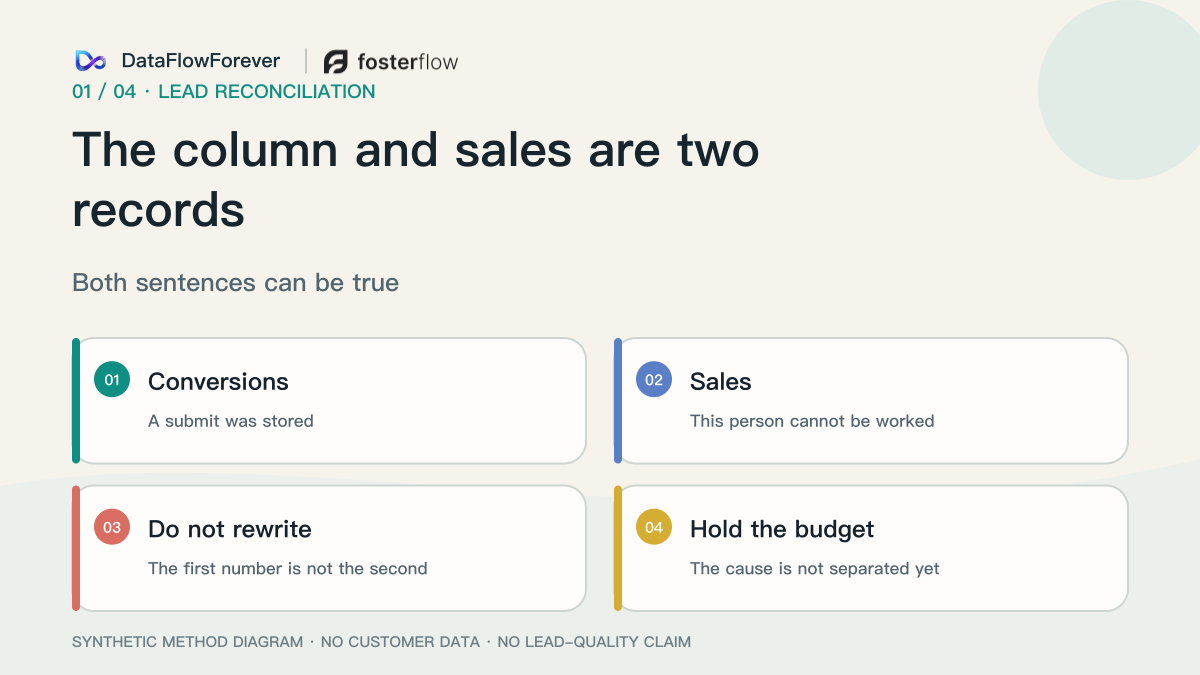
The extra number in the column is a submit. Sales is refusing the person. Both can be true. The fix is not to turn a placement off, and not to delete the form conversion. Sales marks the leads that are actually usable. That mark becomes the primary conversion and is uploaded in the format Google requires. The raw submit stays, set to secondary, so you can still see what the platform received.
The inquiry below is made up. It is not a customer.
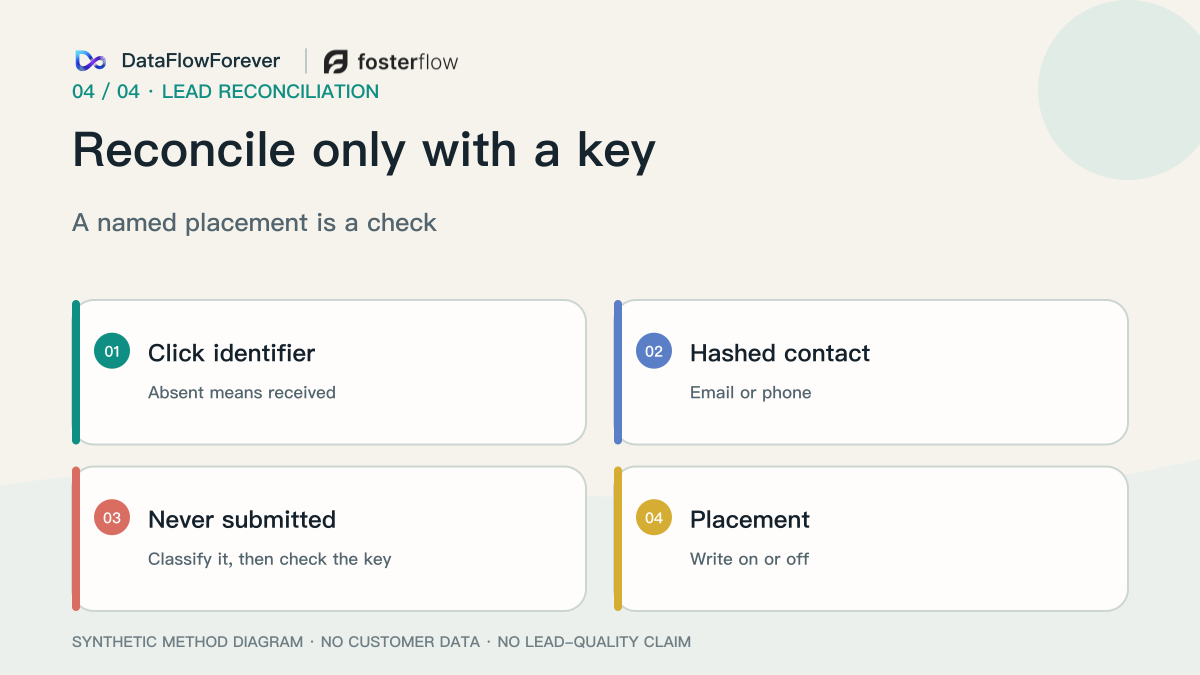
Match the person to the click first
Someone clicks an ad. The landing URL carries a click identifier, usually a GCLID, and on iOS sometimes a GBRAID or WBRAID. They submit an inquiry. The platform stores it and the conversion column goes up by one. That step means the submit was received. It is not yet an upload of what sales decided.
Sales calls. Nobody answers, or the person says they never filled the form. Sales writes “unusable” on their own sheet. The conversion column does not go down. That sheet knows the person by phone or email. It does not contain the click identifier.
The upload happens later. It sends what became of this person back to that click. The request has to already contain a key, or the API will not accept it and the upload will not happen. Do not describe a completed upload that is missing the string it required. The click identifier sends the outcome back to the ad click. The email or phone, normalized and hashed, matches the person on the sales sheet, and also matches data collected on the site and signed-in activity. A person can match on email while the click still needs the click identifier.
2998031 describes those two paths: click identifier plus conversion type and time, or enhanced conversions for leads with a hashed email or phone as well. If the click identifier is gone, hashed contact data can still match the person. It will not match that click. 11021502 names the fields. Pick one value that is on the form and in the upload, usually email. If no tag is collecting that data, the click identifier is required. If a tag is collecting it, still send the click identifier. A lead upload also needs the conversion name, the time, and a qualified or converted-lead goal. An order id blocks the same person being counted twice. A blank consent value can leave the conversion unmatched to any click.
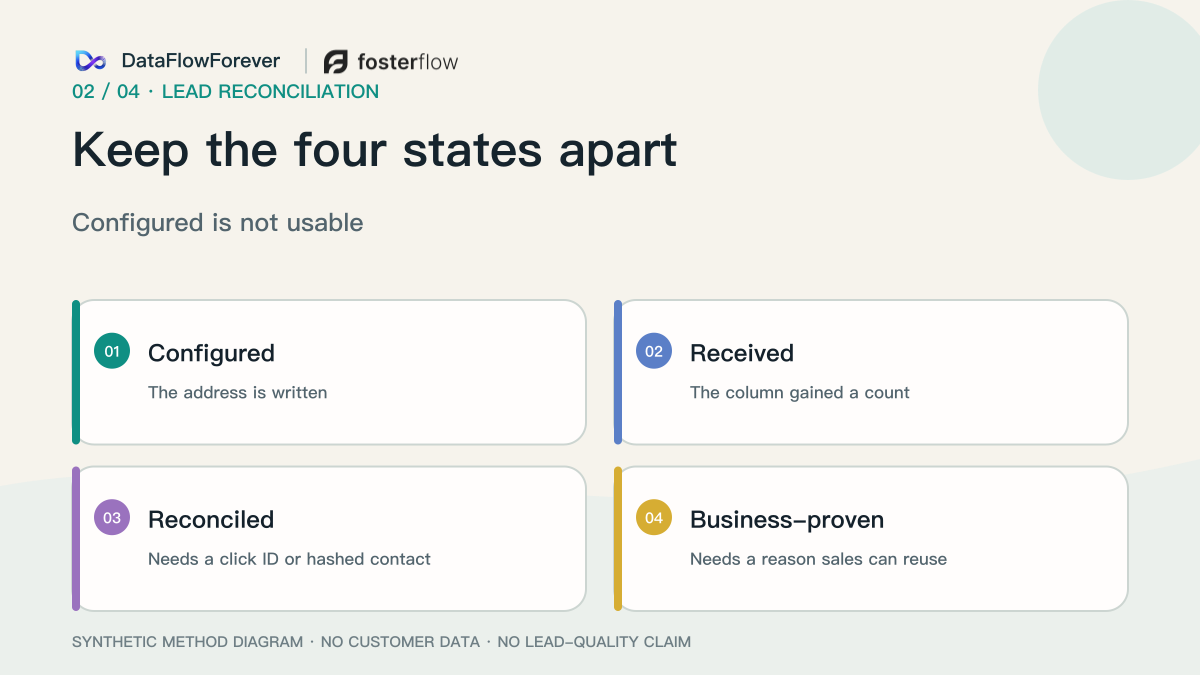
A configured address only means you intended to send the event there. The column increment means it was received. A key in the request, and an upload that went out, means the click or the person was matched. Sales marking the lead usable, and that mark being uploaded, is the business result.
If the inquiry starts in chat, store the click identifier and the email or phone before the chat opens. A name and one message are not enough to upload. A phone number alone lets sales recognize the person and still cannot be sent back to the click. A record sitting in a CRM only means it was stored. A full CRM is not required before the usable lead can be sent.
Bid on the lead sales marked usable
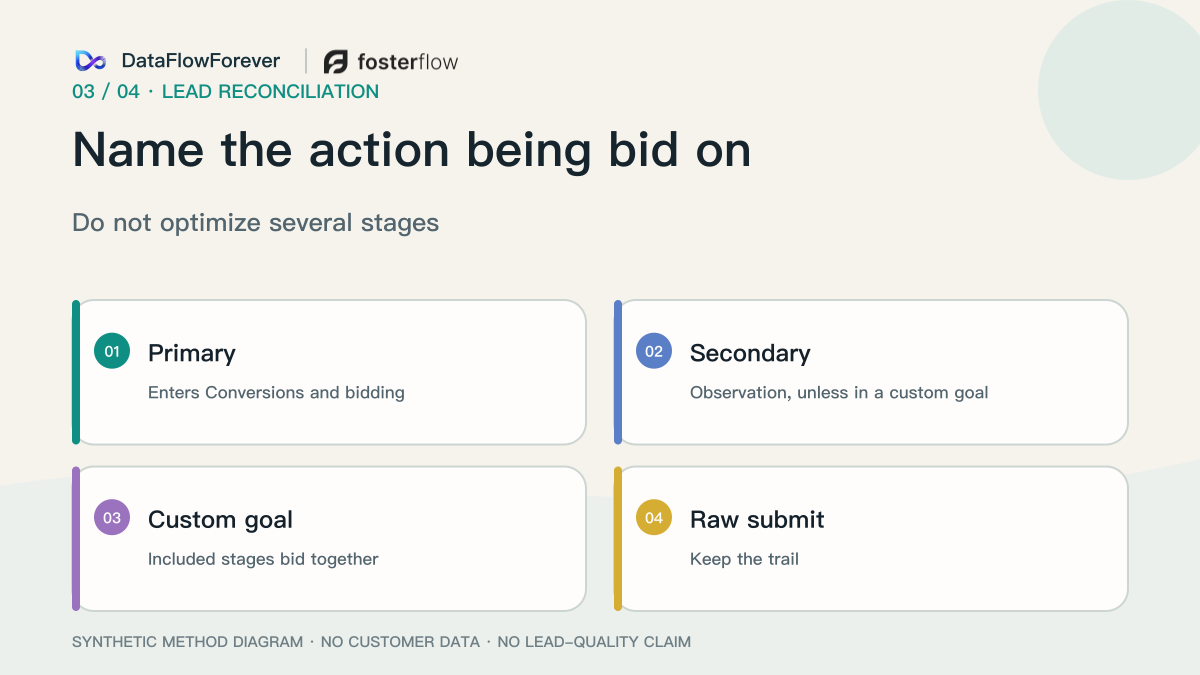
The inquiry fills the column because the account treats the submit as primary. If both the raw submit and the usable lead are primary, the account goes after the cheaper submit. The column follows the form. Sales can still have very few people to call.
11461796 states the labels. Under a standard goal, a primary action is in the Conversions column and is used for bidding. A secondary action is in All conversions and is not used for bidding. Once an action is inside the custom goal in use, the old label no longer decides: included actions are reported and bid on. “I already set it to secondary” still needs a look at that custom goal. A submit and a usable lead in the same bidding goal are being bought together. Changing goals too often restarts learning. The app-conversion sentence later on that page is a different product.
13489421 says not to optimize several stages of the lead journey at once. The page’s conditions are: at least 15 of that action in the last 30 days at the account; upload enhanced conversions for leads or offline imports regularly, ideally daily; prefer an action that happens within 7 days of the ad interaction. Those are conditions on the page, not proof this account has met them. Monthly counts and a 48-hour rule from comments do not replace the page.
Closed-won is often too rare to reach 15. Making it the only primary action quiets the report and still does not upload the usable lead. Upload the mark sales applied: reviewed, qualified, or contacted, as its own conversion action. Leave the submit secondary. Do not make both primary. Do not delete the form action.
An exclusion list too small to serve does not teach bidding. Upload the lead you want to reward. “Poor quality” written in a note has not marked the usable one yet.
Someone once made the offline conversion the only primary action after form and click-to-call had both been primary. Reported volume then dropped. The drop means the bid followed a different action. It does not mean the cause was found. More questions on the form often raise cost per lead. Too few questions, and sales says the person arrived empty. Keep the form easy. Mark usable or not after sales has looked.
Do not change the budget before the usable leads are marked
Discussions call this mismatch spam, “I never submitted,” or a named placement. Those are things to check. Dollar figures and “we fixed it” from posts stay out.
Search, Demand Gen, and Performance Max all get named. Unknown age or gender is not spam. A captcha that “cleared the spam” is one report. Real people submit junk. An unanswered call is not yet a bot. Search partners that are already off, while bad leads keep arriving, are not the cause. What you can do is leave the submit on record and upload the leads sales marked usable.
In 2013, Vacha Dave, Saikat Guha, and Yin Zhang published *ViceROI: Catching Click-Spam in Search Ad Networks* at ACM CCS (PDF). Section 6.1 shows that a conversion at the ad network can be a form request from the browser. On their own nonsense form, 734 users submitted in 26 days. The network received a yes or no and could not see a signup versus a sale. That 734 is their experiment, not your usable leads.
In 2021, Gabryel, Scherer, Sułkowski, and Damaševičius (10.2478/jaiscr-2021-0020) classified visits as human or bot. Mouse data came from seven large retailers, form leads from three financial institutions. The abstract says accuracy was relatively high and does not print the figure. A person sales cannot use can still be a person. Usable leads are still marked by sales.
The team fills this sheet, then uploads in this format
One row per usable lead you are ready to upload. If the key is missing, do not send the row.
- Cell: Where it stopped · What to write: Configured / submit received / uploaded and matched / sales marked it usable · If it is blank: Do not change the budget yet
- Cell: What the bid follows · What to write: The usable-lead conversion. Note primary, or already inside the custom goal. The submit should be secondary · If it is blank: The column is still rewarding submits
- Cell: Click identifier · What to write: The GCLID, GBRAID, or WBRAID from the landing URL, copied as captured · If it is blank: Without it, and without a hashed contact, the upload cannot be sent
- Cell: Email or phone · What to write: Normalized, then SHA-256. No plaintext on the sheet. This matches the person on the sales sheet · If it is blank: The sales sheet and the click stay apart
- Cell: Time · What to write: When sales marked it usable, after the click, with a timezone · If it is blank: The API rejects it
- Cell: Conversion action · What to write: Numeric id of an UPLOAD_CLICKS action for reviewed, qualified, or contacted · If it is blank: You uploaded another submit
- Cell: Order id · What to write: This lead’s own id · If it is blank: The same person can be counted again
- Cell: Consent · What to write: ad_user_data and ad_personalization · If it is blank: The conversion may match no click
- Cell: Sales mark · What to write: Usable, or spam / never submitted / wrong service / wrong region · If it is blank: “Poor quality” has not marked it
After 15 June 2026, this upload goes through the Data Manager API IngestEvents. uploadClickConversions on the Google Ads API rejects developer tokens without the older allowance, with CUSTOMER_NOT_ALLOWLISTED_FOR_THIS_FEATURE. The deprecations page sets that window as no offline upload between 17 December 2025 and 15 June 2026. Field names are on the upgrade map.
- Sheet: Numeric conversion-action id · Data Manager: product_destination_id, not the resource name · Older Google Ads API: conversion_action resource name
- Sheet: Account that owns the action · Data Manager: operating_account.account_id, type GOOGLE_ADS · Older Google Ads API: customer_id on the request
- Sheet: GCLID · Data Manager: ad_identifiers.gclid · Older Google Ads API: gclid
- Sheet: Time · Data Manager: event_timestamp, RFC 3339 · Older Google Ads API: `yyyy-mm-dd HH:mm:ss+
- Sheet: Order id · Data Manager: transaction_id · Older Google Ads API: order_id
- Sheet: Hashed email or phone · Data Manager: user_data.user_identifiers · Older Google Ads API: hashed_email / hashed_phone_number
- Sheet: Consent · Data Manager: ad_user_data, ad_personalization · Older Google Ads API: The same two fields
The operating account has to own the conversion action. Sending through a parent account, which the Google Ads API allowed, is not supported on Data Manager. In the interface the source is “Website (Import from clicks)” and the type is UPLOAD_CLICKS. If an older token is still allowed, partial_failure must be true, and conversion_value plus currency_code follow the legacy upload guide. Setting user_identifiers makes that upload an enhanced conversion for leads.
Trim and lowercase the email before hashing. For gmail.com and googlemail.com, also remove dots before @ and remove + plus the rest of the local part. cloudy.sanfrancisco+shopping@gmail.com becomes cloudysanfrancisco@gmail.com, then SHA-256. Other domains are only lowercased. Put the phone in E.164, such as +18005550100, then hash. Hex or Base64 must match encoding on the request. The rules are in Format user data. Plaintext stays off the sheet and out of the request.
Data Manager rejects the whole batch if one field fails. Use request_id on the response for diagnostics. Send events also requires event_source. The sample below omits it and is not ready to send.
{ "destinations": [ { "operatingAccount": { "accountType": "GOOGLE_ADS", "accountId": "CUSTOMER_ID_THAT_OWNS_THE_ACTION" }, "productDestinationId": "NUMERIC_ID_OF_THE_USABLE_LEAD_ACTION" } ], "encoding": "HEX", "consent": { "adUserData": "FROM_THE_CONSENT_RECORD", "adPersonalization": "FROM_THE_CONSENT_RECORD" }, "events": [ { "adIdentifiers": { "gclid": "CLICK_IDENTIFIER_CAPTURED_ON_LANDING" }, "eventTimestamp": "2026-10-01T09:30:00+08:00", "transactionId": "THIS_LEAD_ORDER_ID", "userData": { "userIdentifiers": [ { "emailAddress": "SHA256_OF_THE_NORMALIZED_EMAIL" } ] } } ] }
A successful upload means the key and the “usable” time were sent. The account follows that action only if it is primary, or already inside the custom goal in use. Leave the submit secondary. Sales can still mark another lead unusable. The budget should follow the leads that were marked usable and uploaded in this format.